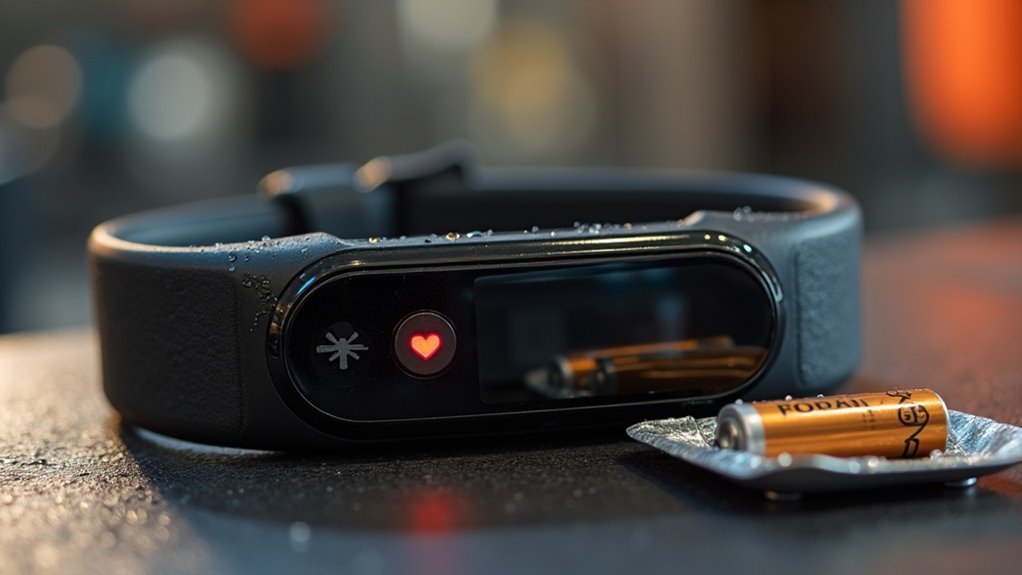
You should change your heart rate monitor strap battery every 1.5 years or sooner if you notice issues like no heart rate readings, erratic data, or unreliable connections. Regularly check the battery status using compatible fitness apps to ensure your home workouts are effective. Disconnect the strap after each use to prevent unnecessary battery drain. By taking a proactive approach, you can maintain optimal performance and extend the lifespan of your equipment. Keep these guidelines in mind to enhance your device’s reliability, and don’t forget to explore additional maintenance tips that can further improve battery life while supporting your fitness journey at home.
Key Takeaways
- Replace the battery if you notice there’s no heart rate reading or if the readings seem inaccurate, which could indicate a low or dead battery.
- Regularly check battery levels using compatible apps to ensure you’re aware of any low battery status.
- For those exercising regularly at home, aim to replace the battery every 1.5 years to maintain optimal performance.
- To extend the lifespan of your heart rate monitor, disconnect the connector after each workout session to minimize battery drain.
- If you’re using the monitor frequently during your home workouts, keep an eye on its performance and consider more frequent battery replacements as needed.
Signs Your Heart Rate Monitor Strap Battery Needs Replacement
How can you tell when it’s time to replace your heart rate monitor strap battery while maintaining your home gym routine?
Look for key signs: if your training device or app shows no heart rate reading, the battery is likely low or dead, which can disrupt your workout progress.
Additionally, keep an eye out for abnormal heart rate readings, such as unrealistic spikes or flatlines, as these may indicate battery failure.
Utilizing compatible apps, like Polar Flow or Beat, can help you monitor your battery status and track usage patterns, ensuring you stay on top of your fitness goals.
If you notice reduced connection reliability or if you’ve been using the strap for over a year, it might be time to replace the battery to keep your home workouts effective and accurate.
Recommended Battery Replacement Frequency
When should you consider replacing the battery in your heart rate monitor strap for your home gym workouts? The average lifespan is about 300 to 500 hours, which equates to roughly 1.5 years with daily use.
Consider replacing your heart rate monitor strap battery every 1.5 years for optimal performance during home workouts.
Here are some guidelines for battery replacement frequency to keep your fitness tracking accurate:
- Replace the battery if you notice no heart rate readings or any irregular data during your workouts.
- Regularly check battery levels using compatible apps like Polar Flow or Beat to ensure consistent performance.
- If you’re an avid home gym user, you may need to replace the battery more frequently than someone who exercises occasionally.
Always use the specified battery type, such as CR2025, to ensure optimal performance and avoid damaging your heart rate monitor strap.
Staying on top of your equipment maintenance helps you stay healthy and achieve your fitness goals effectively.
Troubleshooting Battery Drain Issues
If you’re experiencing battery drain issues with your heart rate monitor strap while working out at home, it’s essential to pinpoint the causes and apply effective solutions.
Begin by disconnecting the connector after each use to reduce unnecessary power consumption, and consider experimenting with different battery brands to find the one that delivers optimal performance.
Identifying Battery Drain Causes
While using your heart rate monitor strap during home workouts, it’s crucial to pinpoint the causes of battery drain to ensure optimal performance. Consider these factors:
- Using the incorrect battery type or inserting it the wrong way can lead to power issues.
- Leaving the connector attached after your workout may cause unnecessary battery consumption.
- Regularly check the battery level through compatible fitness apps to catch any potential failures early on.
Moreover, ensure that your battery cover is securely fastened to keep moisture and dirt from affecting performance.
Prolonging Battery Life Tips
To maximize the lifespan of your heart rate monitor strap‘s battery, it’s important to adopt proactive habits that help prevent unnecessary drain during your home workouts.
After each use, detach the heart rate monitor connector from the strap to avoid idle battery drain. Regularly check for signs of battery issues, such as missing heart rate readings or unusual fluctuations, which may indicate that a replacement is needed.
Always opt for reputable brands like Panasonic or Maxell for replacements, ensuring correct polarity during installation. Additionally, make sure to dispose of used batteries according to local regulations to prevent leakage and promote environmental safety.
Steps to Change Your Heart Rate Monitor Strap Battery
Changing the battery in your heart rate monitor strap is a simple task that can be done in just a few minutes, ensuring you stay on track with your home fitness goals.
Follow these steps for accurate heart rate readings during your workouts:
- Use a flat tool or coin to gently remove the battery cover from your heart rate monitor strap.
- Insert the recommended battery type (e.g., CR2025) with the positive (+) side facing down.
- Wait three seconds before closing the cover to allow the device to reset properly.
Before securing the cover, make sure the sealing ring is clean and intact to maintain waterproof integrity.
Finally, test the strap’s functionality by checking for a heart rate reading on your paired device to ensure you’re ready for your next home workout session.
Proper Disposal of Used Batteries
Properly disposing of used batteries, such as the CR2025 type commonly found in heart rate monitor straps, is crucial for maintaining a healthy environment while you focus on your fitness journey at home.
Avoid throwing them in regular trash, as they can leak harmful chemicals into landfills and contaminate groundwater. Instead, seek out local battery recycling programs or designated drop-off locations.
Many fitness equipment retailers also provide battery recycling services, making it easy to return used batteries when purchasing new gym gear. Always check with your local waste management authorities for guidelines to ensure compliance with safety regulations.
Tips for Extending Battery Life
To extend the battery life of your heart rate monitor strap while working out at home, focus on proper battery handling techniques and regular maintenance practices.
Detaching the strap after each use and monitoring battery performance through associated fitness apps can significantly reduce unnecessary drain.
Additionally, adopting ideal usage habits during your home workouts ensures you get the most out of your battery before it needs replacement, helping you stay on track with your fitness goals.
Proper Battery Handling Techniques
While you mightn’t think about it often, managing your heart rate monitor strap‘s battery can greatly extend its life, especially when you’re committed to your home workout routine.
To ensure peak performance of your heart rate sensor during your exercise sessions, follow these essential battery handling techniques:
- Always use the specified CR2025 battery type for replacements to maintain optimal functionality.
- Detach the connector from the strap after each workout to prevent unnecessary battery drain, ensuring it’s ready for your next training session.
- Clean the sealing ring before closing the battery cover to maintain waterproofness and prevent moisture issues, keeping your equipment in top shape for your fitness journey.
Regular Strap Maintenance Practices
Maintaining your heart rate monitor strap is essential for optimal performance and longevity, especially for those who prioritize their home workout routines. Proper strap care complements battery management and enhances your overall fitness experience. Here are some practical tips to extend the battery life of your heart rate monitor:
| Maintenance Tip | Description |
|---|---|
| Detach After Workouts | Always remove the strap from the connector after your exercise session. |
| Use Specified Batteries | Ensure you use the correct battery type (e.g., CR2025) for your monitor. |
| Monitor Heart Readings | Keep an eye out for any irregular heart rate readings that could signal battery problems. |
| Clean Battery Compartment | Regularly check that the battery compartment is clean and the sealing ring is intact. |
| Dispose of Batteries Properly | Follow local guidelines for the safe disposal of batteries. |
Optimal Usage Habits
Understanding ideal usage habits can significantly enhance the battery life of your heart rate monitor strap, a crucial accessory for anyone committed to home workouts.
To ensure lasting performance, follow these essential tips:
- Detach the strap from the device after each workout session to prevent unnecessary battery drain, allowing you to maximize its lifespan.
- Regularly clean the strap and connectors to maintain optimal functionality, which helps reduce power consumption during your training.
- Store the strap in a cool, dry place, shielding it from extreme temperatures and moisture to protect its longevity.